
AI-Assisted Development for Apple Platforms

I've been using various LLMs since late 2019, starting with GPT-2 running locally on my laptop. This ramped up when GPT-3 and ChatGPT hit, used for assisted coding on my Python and JS tools. Coding agents really got amazing in 2025 and 2026.
The holy grail for me: Mac apps. Despite using Macs for 34 years (at 8 years old on a Mac Classic), I'm not a Mac or iOS developer.
This post documents the apps I've built for Apple platforms (mostly MacOS※) since early 2026. Some of them have links to GitHub, but only if I consider them "done enough": stable, feature complete, and useful to others.
You can view my AI Policy on the About page detailing my usage of AI when writing (TLDR: not used for writing).
※ - I still refuse to call it macOS
Contents
Frontends for CLI Tools
ytBatda
Naming: batda (받다) == to receive (Korean), so ytBatda is receiving YouTube videos.
Problem it solves
- Sometimes I just want to download a video locally on my MacBook Air, and can never remember how to invoke yt-dlp with specific arguments.
- I have an overly complicated system for downloading and watching YouTube videos (Python-based web server running on my Mac Mini (server) that triggers yt-dlp to download any video, with input from iOS Shortcut or web app).
Info
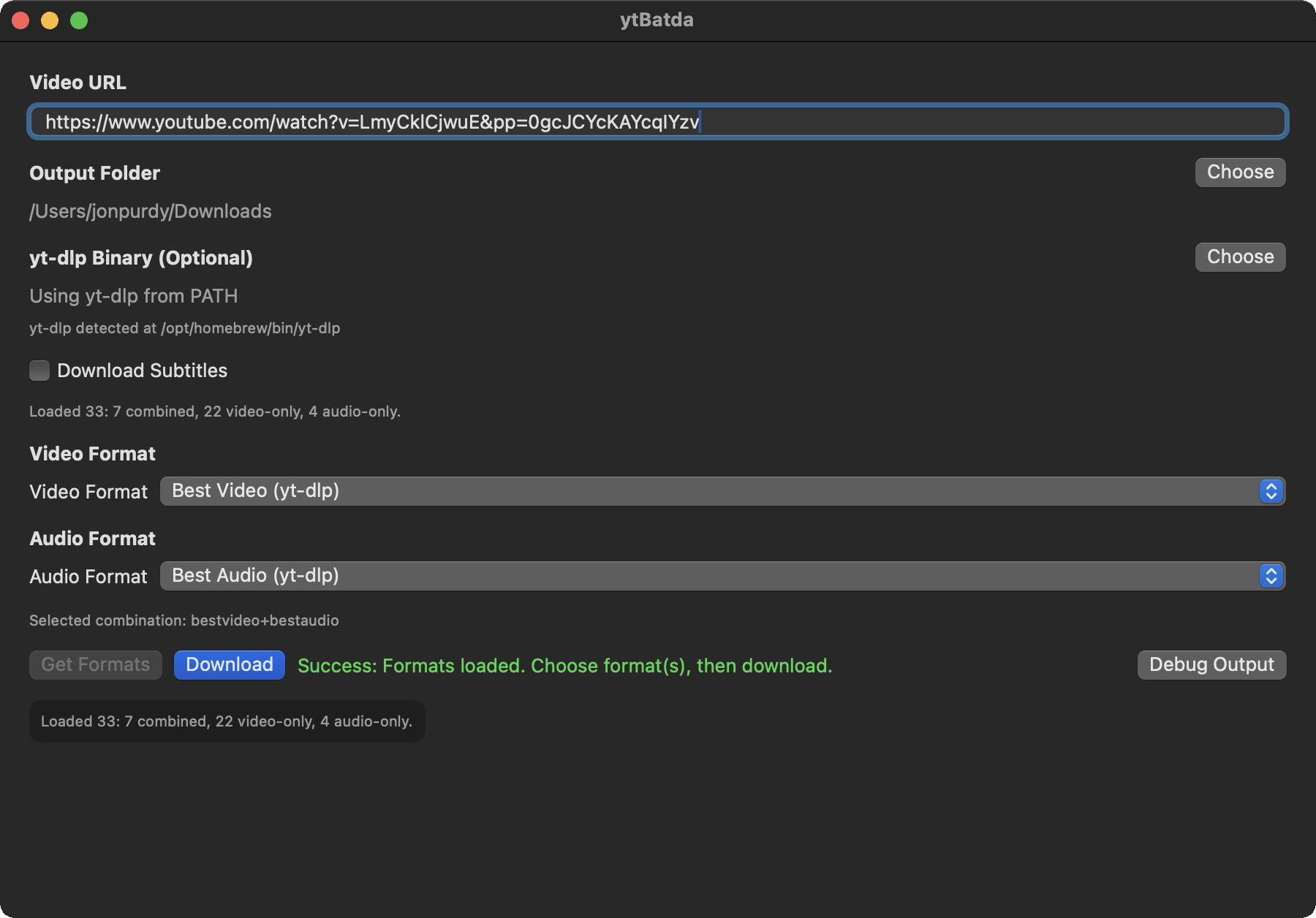
- This app is a simple Mac-native GUI around the basic features of yt-dlp.
- Step 1: paste the video URL and press Get Formats (required to discover the formats available).
- Step 2: choose a format (defaults to best video + audio) and download.
GitHub: ytBatda
KiruCut
Naming: kiru (切る) == to cut (Japanese).
Problem it solves
- For videos, lossless cutting preserves the quality of the video, whereas typical video editing tools will cut but recompress the video, losing quality.
- ffmpeg has this capability, but similar to ytBatda, I can never remember the ffmpeg arguments to losslessly cut videos.
Info
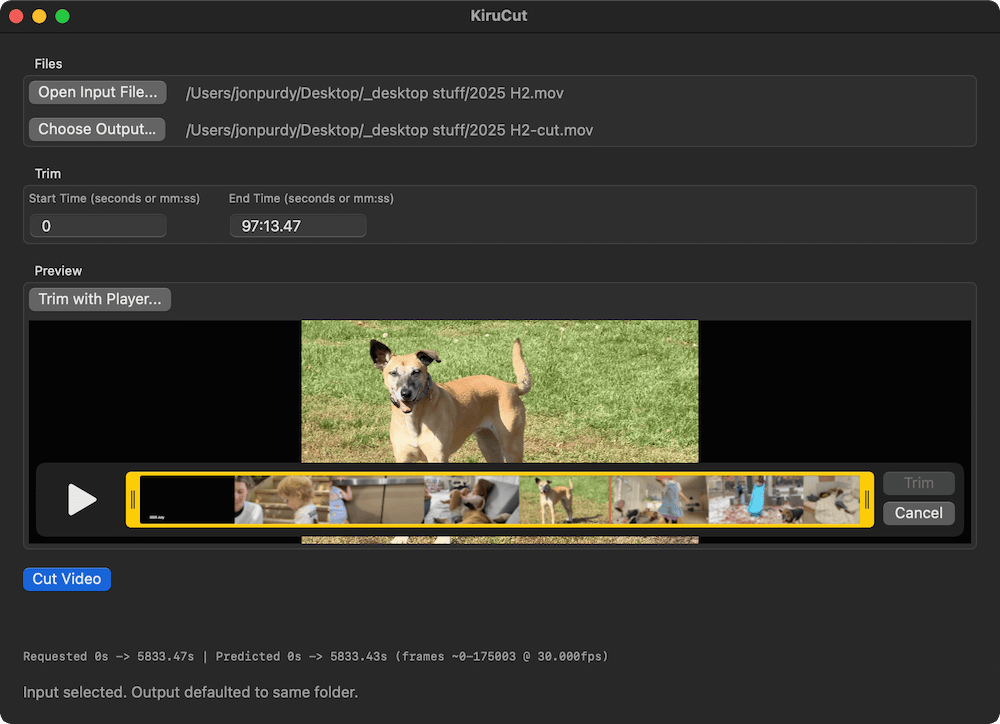
- KiruCut is a simple Mac-native GUI designed for losslessly cutting videos.
- For videos that Apple supports natively, it can use Apple-native trimming controls.
- For other videos, can trim via timestamps.
GitHub: kirucut
JXL Studio
Naming: it's a studio... for working with JPEG XL compression?
Problem it solves
- Can't remember the command line arguments for cjxl (official JPEG XL image conversion/compression tool), especially since they are updating the tool frequently.
Info
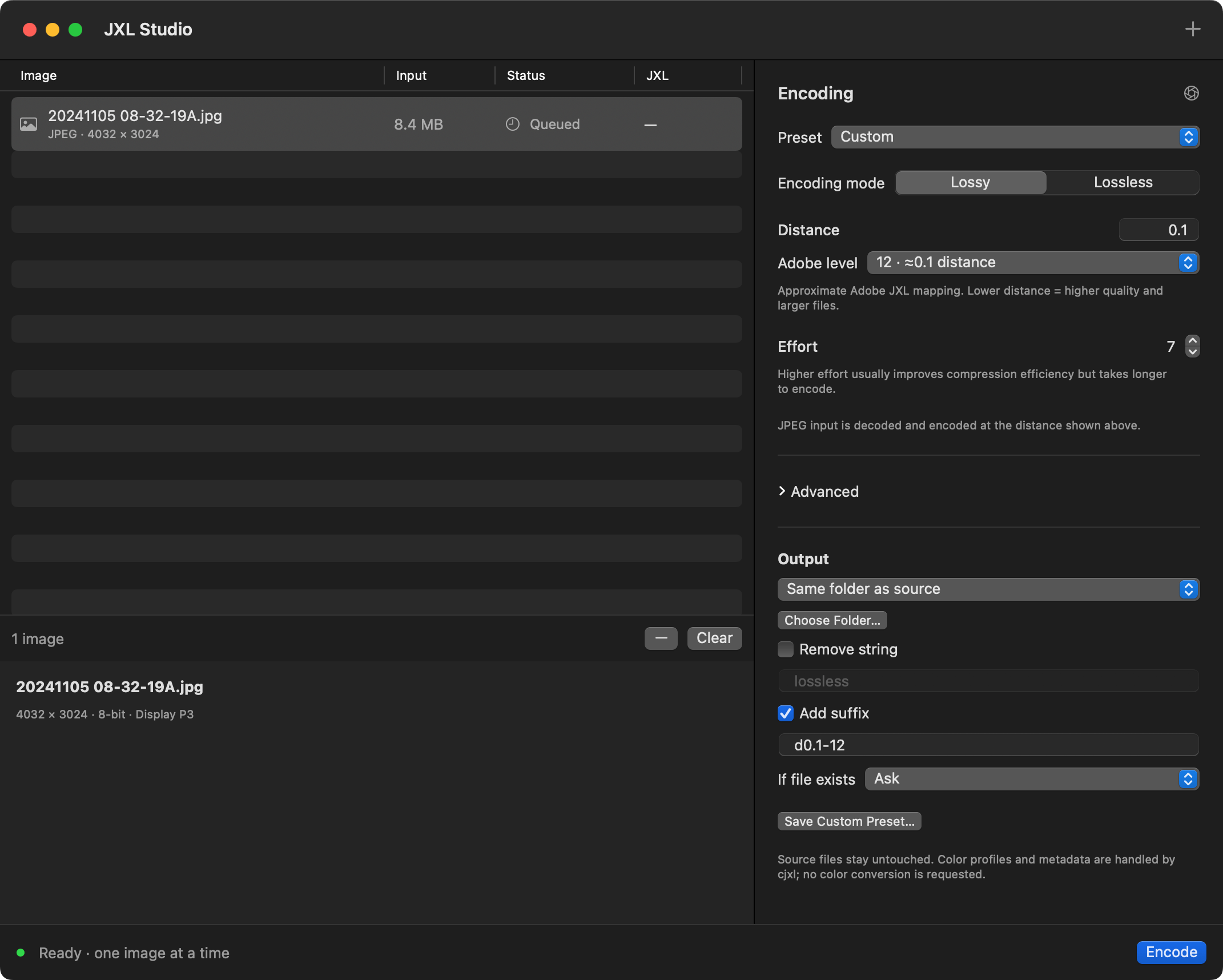
- JXL Studio simply converts any image format into a JPEG XL. Supports lossless, or lossy compression (distance = how similar it is to the original, lower values being more similar/less compressed), compression efficiency, and adding or removing strings from filenames for the output files.
Safari Extensions
barometric
Naming: baro (바로) == directly/right away (Korean), so "converting to metric directly".
Problem it solves
- I use metric measurements exclusively despite living in Canada and USA.
- I'm stuck with imperial measurements on Amazon, Home Depot, and other online retailers.
- Even beloved Ikea, with measurements originally in metric, sometimes shows only converted imperial units.
Info
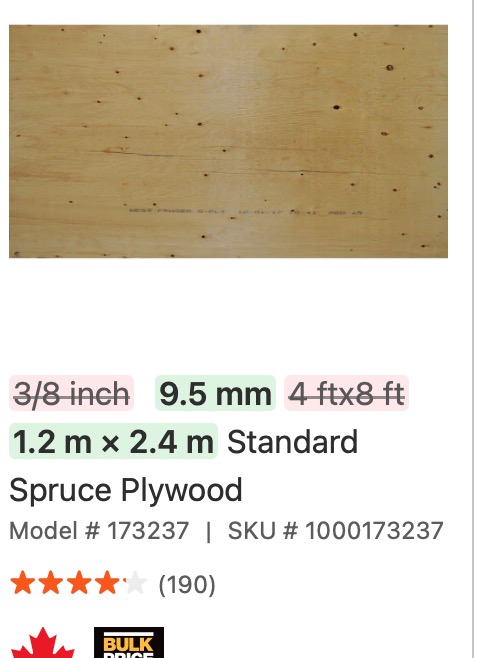
- This Safari Extension was created to convert non-metric to metric measurements in-line on web pages.
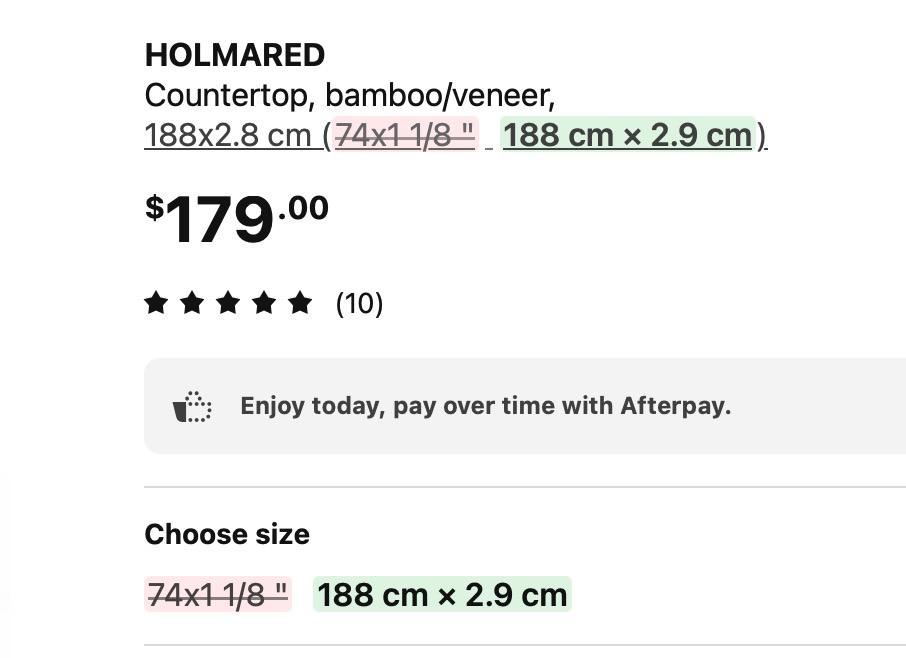
- This is fraught with incorrect conversions and assumptions, so I left the original text (highlighted in red) to verify it is converting the correct text, with the conversion (highlighted in green) next to it. You can click the conversion to eliminate it.
baro-iso8601
Naming: Using baro- from barometric (Korean for directly), and ISO8601 (my preferred date format).
Problem it solves
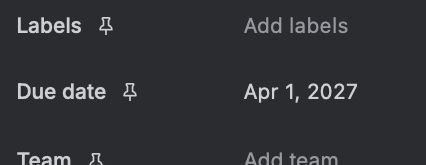
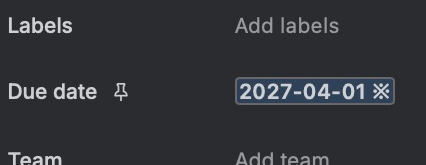
- Jira, Linear, GitHub, and many other tools on the web don't allow the user to select their preferred date format; in my case, yyyy-MM-dd (ISO8601 date format). Jira actually used to support this but regressed in 2021, see JRACLOUD-76814).
- There are existing ways of fixing this (like running GreaseMonkey scripts or getting Jira or GitHub-specific extensions) but I wanted this to be universal, as well as not rely on someone else's extension.
- This tool dynamically converts any date on the page to my preferred format.
Info
- Unlike barometric, this has had very few edge cases. It only converts one thing (dates), and dates are typically very standardized so there are relatively few formats to convert from.
Utilities and Full Apps
IceList
Naming: it's Ice.app but with a List view.
Problem it solves
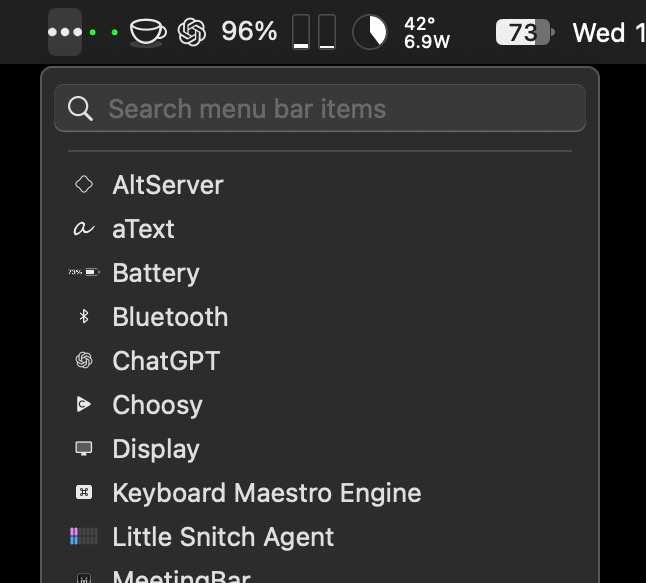
- I have about 30 Mac menu bar extras. When I have applications open with lots of menus, combined with the notch on my M2 Air, many menu bar extras cannot be shown and get covered.
- I used Bartender, then Ice, to dynamically hide and show them. But I have so many that I don't remember what their icons are, and sometimes they get reorganized.
Info - IceList is my fork of Ice.app that displays a list of hidden menu bar extras. - I can also search the name rather than trying to find it in the list. Search field is hot as soon as the menu is opened.
Display Disabler
Naming: it disables a display.
Problem it solves
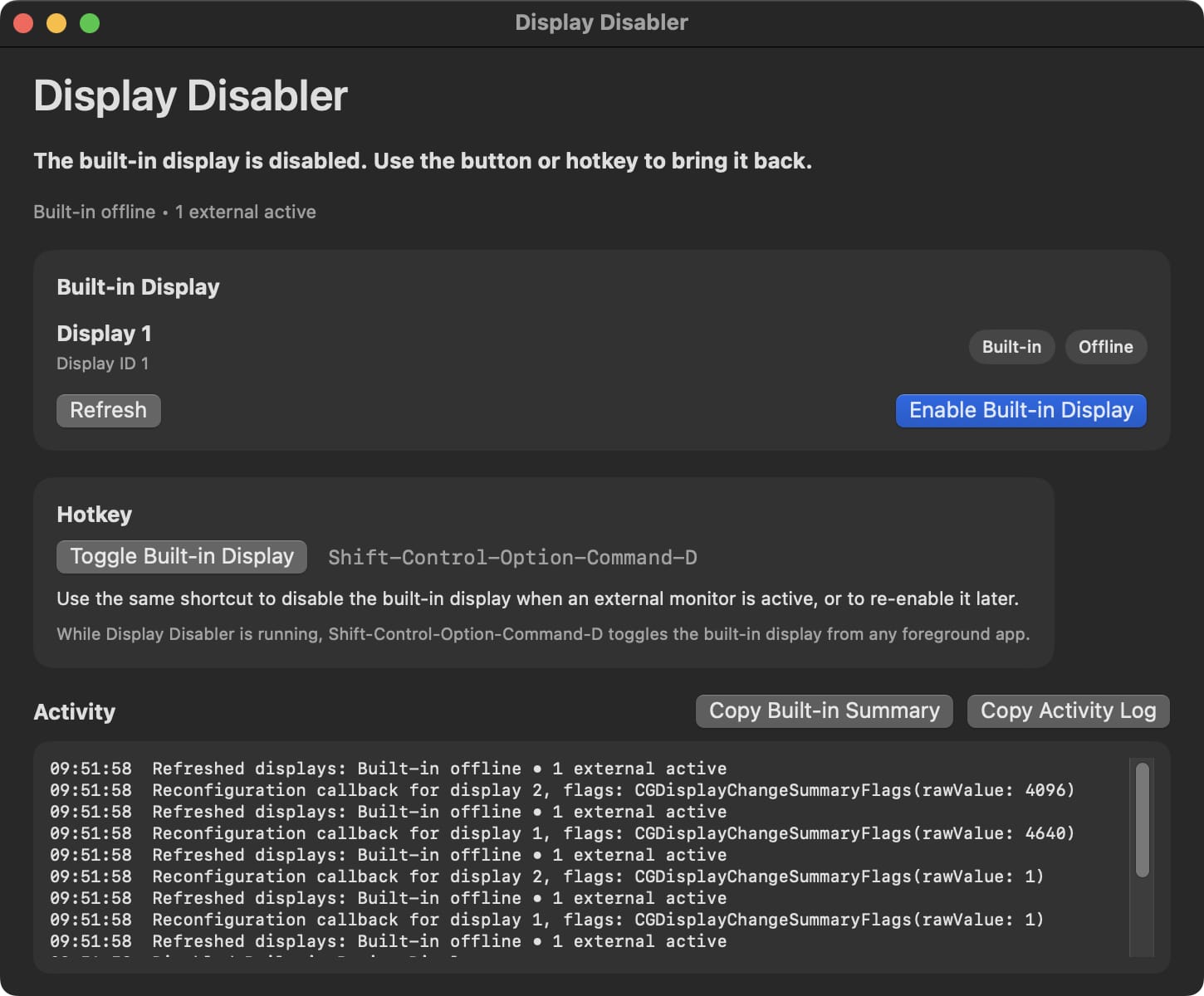
- When using an external monitor or my 48" TV with my MacBook, I typically put the MacBook positioned below the monitor and use the keyboard and trackpad for input. Because the MacBook screen is closer to me I prefer not to use it at all. But with MacOS, some apps that I open end up on the internal display and I have to move them manually to the external display.
Info
- Display Disabler simply toggles the internal display.
- I've gone through many iterations and tests and was never able to reliablity detect when an external display is unplugged or plugged in, so it is controlled either by the button in the UI or by keyboard shortcut.
- Keyboard shortcut works universally, so if I walk away after unplugging the extenral display and the internal display is inactive, I can hit the hotkey (default: Shift-Control-Option-Command-D) to re-enable the internal display regardless of what app is active.
GitHub: display-disabler
BoraMin
Naming: bo-ra! (보라!) == Look! (Korean), Min = minimal. A minimal video player you look at.
Problem(s) it solves
①
- I've been waiting since 2022 for a new Apple TV. My 2021 (ATV 4K 2nd gen) works great, but struggles with 4K files (from YouTube, they only come in VP9 or AV1 video codecs, which don't have hardware acceleration on my AppleTV※).
- The 2026 AppleTV was just released with hardware VP9 and AV1 support, but priced at 300USD (I paid 120USD for mine in 2022).
- Technically, my AppleTV does have hardware-accelerated decoding but only the YouTube app was entitled to use it (without the entitlement an app cannot access it). But a few months ago it was discovered that Apple has not needed apps to have that entitlement (like this one)!
②
- I use Infuse to access media files hosted on my Mac Mini.
- It is fairly minimal, but still has many issues:
- List view doesn't show full filenames without needing it to scrolling horizontally (slow)
- It does save playback position, but not if its close to the end of the video (issue), and no way to disable this
- If there's a folder with just one file, it flattens it (so the file shows up in the parent directory) and there's no way to disable this (issue)
- It does sync via iCloud, but syncing is unreliable.
- By default, has a bunch of features (like matching files and folders to TV and movies) that I do not want
So I created my own minimal player.
Info
- Hardware VP9 playback!: it can play those VP9-codec 4K 60fps HDR videos flawlessly
- Connects to one more more SMB servers
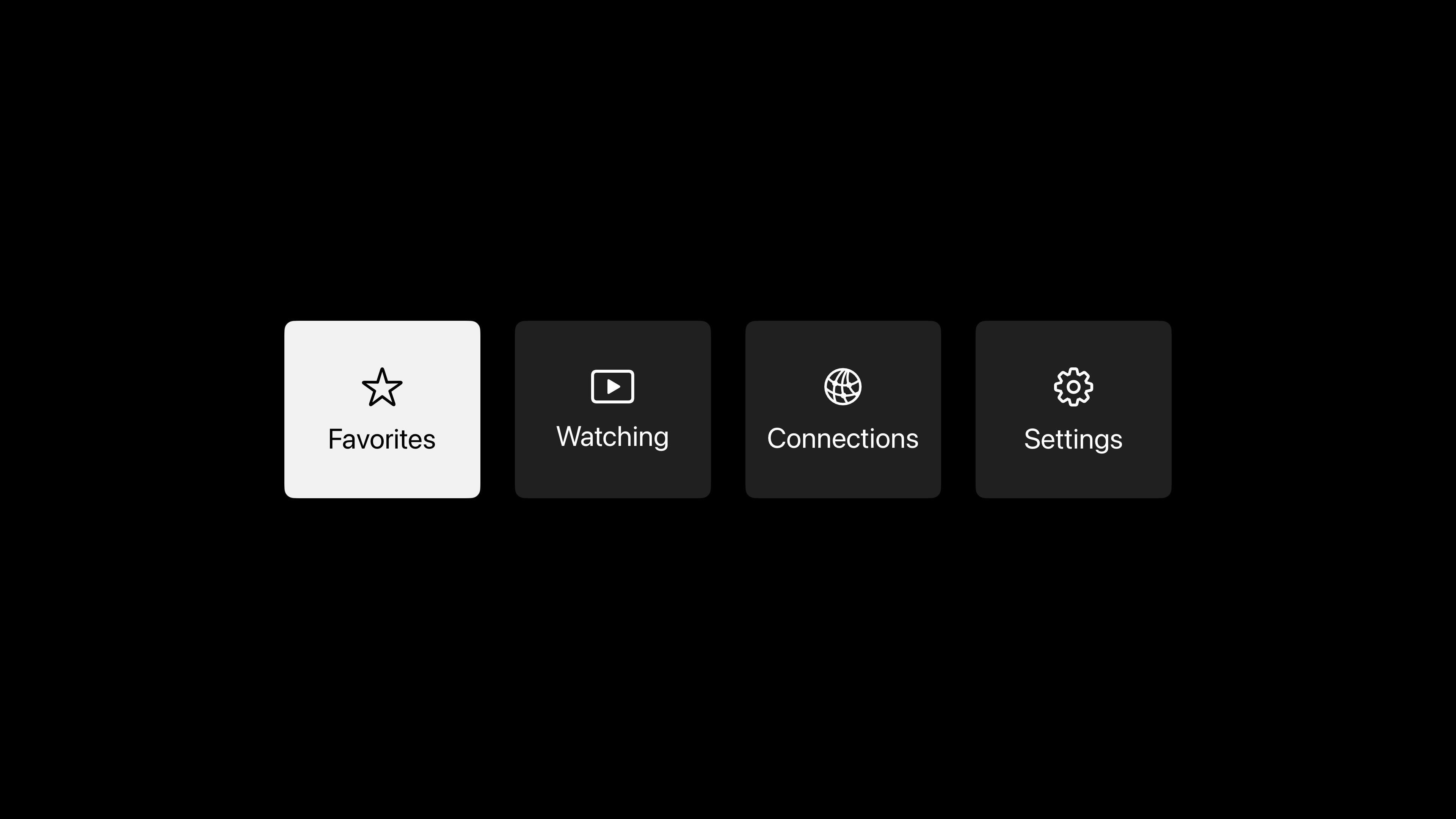
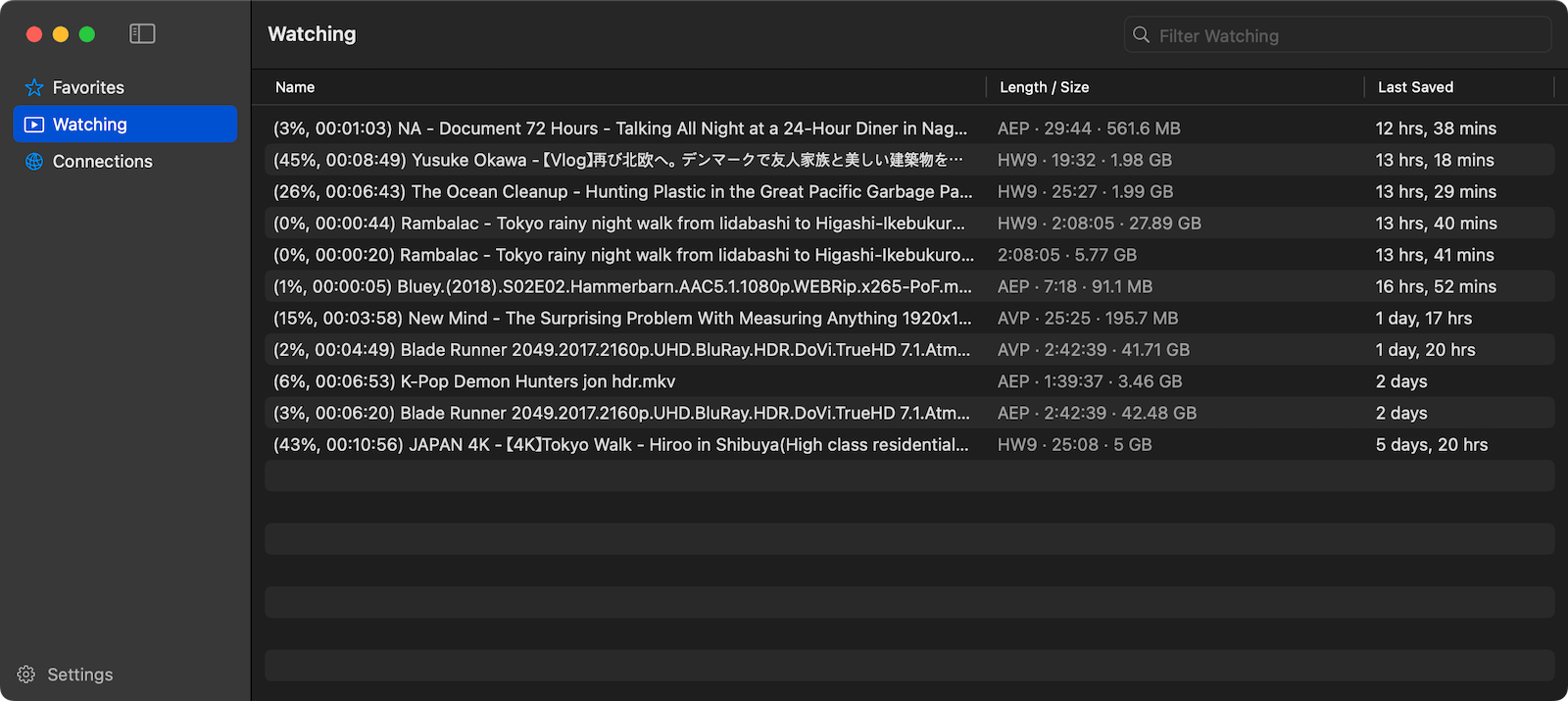
- Favorites: save any folder on any SMB server as an easily-accessible favorite
- iCloud Sync, works reliably and automatically across tvOS, MacOS, iOS clients
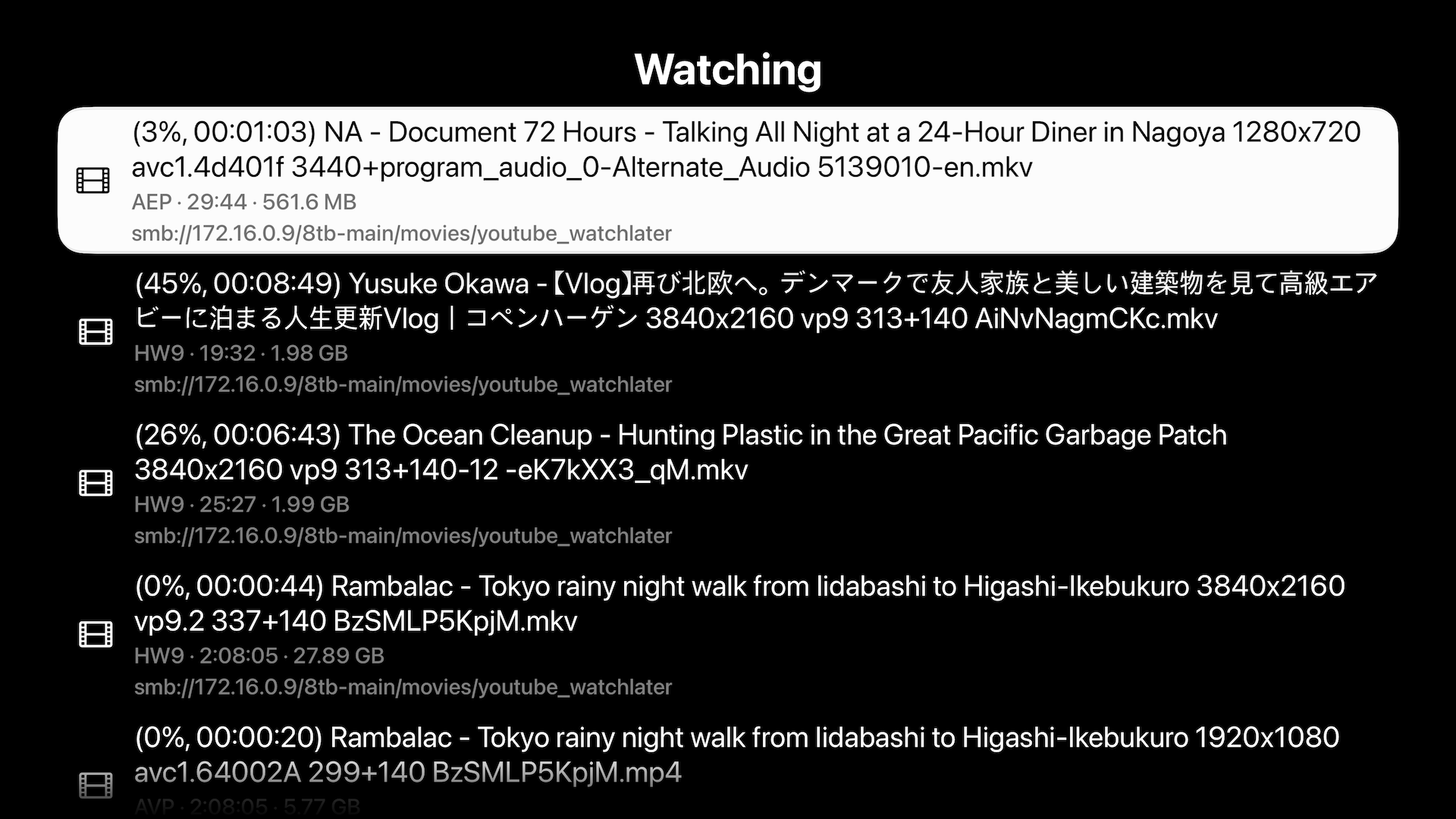
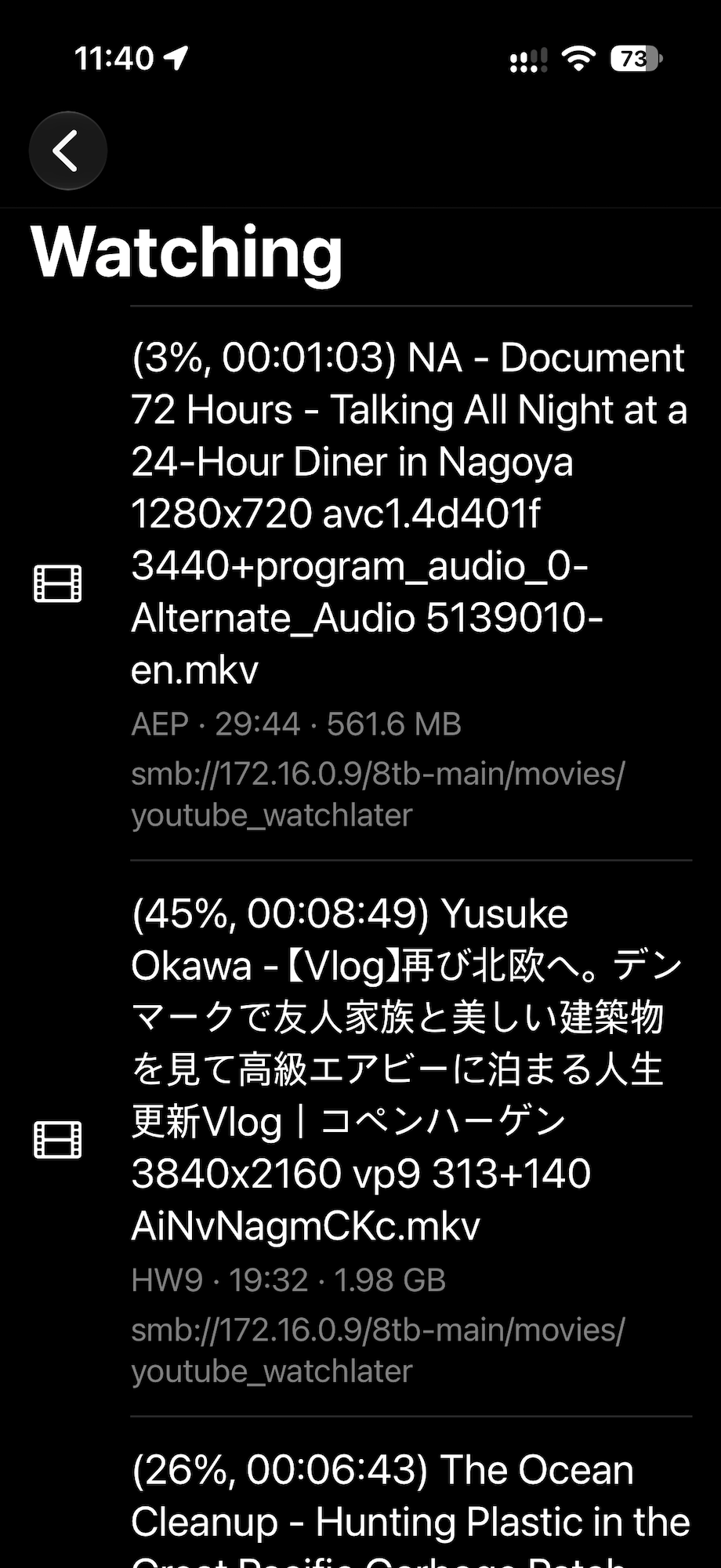
- List views don't waste any screen space; showing full file path and file name
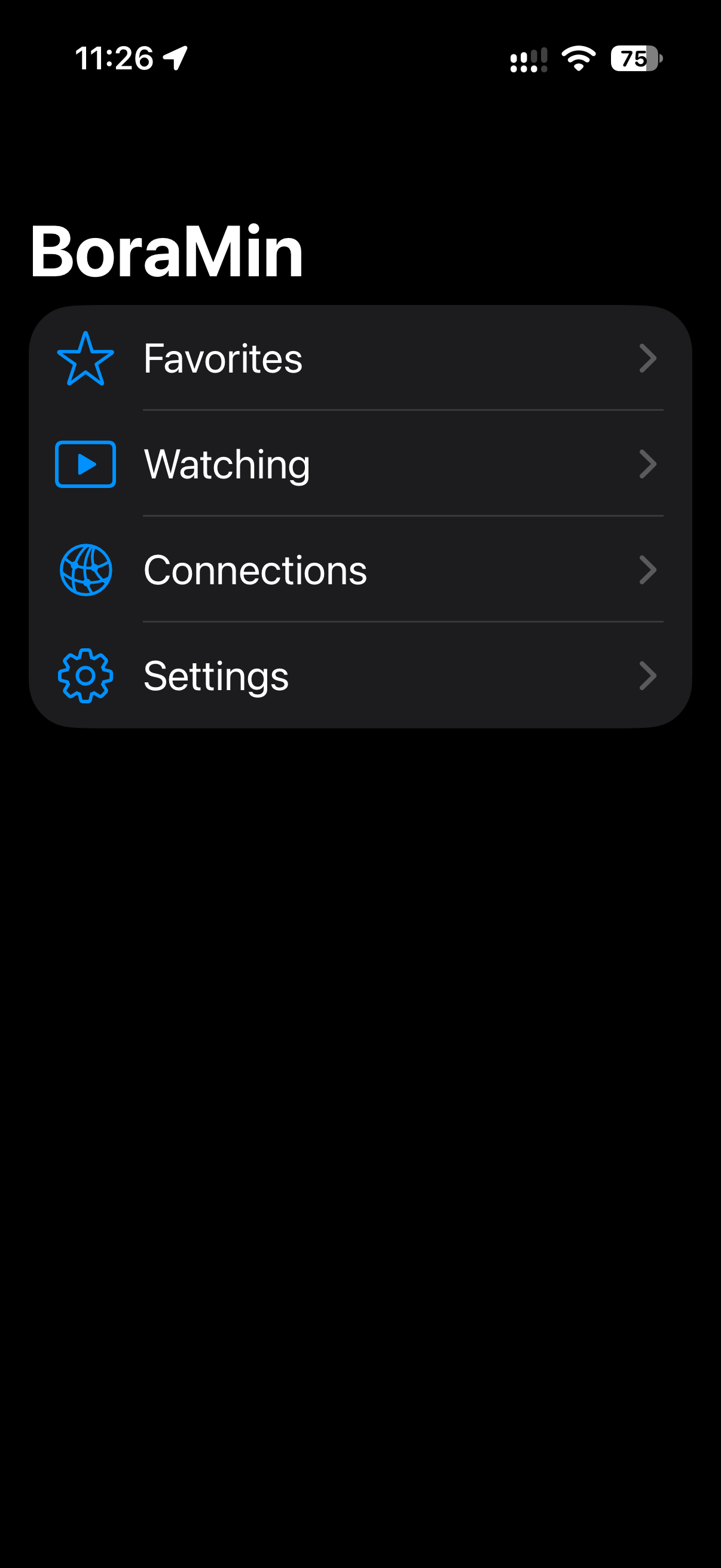
- Supports Dynamic Type (on tvOS and iOS), so text sizes remain readable (text is huge on my iPhone for my close focusing eye issues)
- No extra features: no metadata lookups, no skipping intros/outros, no thumbnails at all, no complications. Just a simple SMB browser and playback app.
- Mostly native controls, using three playback engines:
- AVPlayer (most native): for files natively supported by Apple (mostly MP4 with H.264, HEVC codecs)
- AetherEngine (handles the difficult stuff but exposes it in a native way): for any container not supported by Apple (MKV, legacy containers, etc)
- hardware VP9: necessarily lower level than AVPlayer, using native AVKit controls
tvOS
iOS
MacOS
I've had a couple of failures as well that I might detail later. Failures not caused by Codex or the coding agent being unable to do something, but caused by a lack of vision or flawed concept on my part.
For all of the tools above, there was a clear problem and a relatively clear path to solve it.